Control Panel of the Product
1 | *Support Service Key | 2 | Cooler Compartment Off (Vacation) Function Key |
3 | Energy Saving (Display Off) Indicator | 4 | *Cooler Compartment Temperature Setting Key |
5 | *Compartment Conversion Key | 6 | Freezer Compartment Temperature Setting Key |
7 | Error Status Indicator | 8 | Quick Freezing Key/Handle Light Function Setting Key |
9 | *Wireless Key | 10 | *Key for Resetting Wireless Connection Settings |
Read the “Safety Instructions” section first.
Auditory and visual functions on the indicator panel will assist you in using the refrigerator.
*Optional: Shown functions are optional, there may be differences of shape and location in functions found on your appliance’s indicator panel.
1. *Support Service Key
Press this button for 3 seconds to activate the support service. Detailed information on the support service is provided in the “Support Service Feature” section.
2. Cooler Compartment Off (Vacation) Function Key
Press the key for 3 seconds to activate the vacation function. Vacation mode is activated and the vacation symbol is illuminated. “- -” shall be displayed on the Cooler Compartment temperature indicator and the cooler compartment does not actively perform cooling.
You should not keep your food in the cooler compartment if you activate this function. The other compartments continue to cool according to temperatures set before. Press the key for 3 seconds again to cancel this function.
3. Energy Saving (Display Off) Indicator
Energy saving function is enabled automatically and the energy saving symbol lights up when the door of the product is not opened or closed for some period of time. When the energy saving function is active, all symbols on the screen except the energy saving symbol will be turned off. When the energy saving function is active, if you press any key or open the door, the energy saving function will be deactivated and the symbols on the screen will return to normal. The energy saving function is a function activated ex-factory and cannot be cancelled.
4. *Cooler Compartment Temperature Setting Key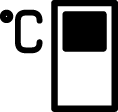
Allows setting of temperature for cooler compartment. Pressing this key will enable the cooler compartment temperature to be set at 8, 7, 6, 5, 4, 3, 2 and 1 °C.
5. *Compartment Conversion Key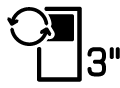
Pressing compartment conversion key for 3 seconds, the freezer section switches between cooler, off and freezer modes.
If it is operated as the cooler compartment, the temperature of the compartment will be set as 4 °C. In the off mode, compartment temperature indicator shall display “- -”.
6. The Freezer Compartment Temperature Setting Key
Temperature setting is made for freezer compartment. Pressing this key will enable the freezer compartment temperature to be set at -18,-19,-20,-21,-22,-23,-24 Celsius.
7.Fault Status Indicator
This indicator will be active when your refrigerator cannot perform adequate cooling or in case of any sensor error. “E” will be displayed on the freezer compartment temperature indicator and figures such as 1,2,3... will be displayed on the cooler compartment temperature indicator. These figures provide information to the authorized service on the error that has occurred.
Exclamation mark may be displayed for a while when you load warm food to the freezer compartment or keep the door open for a long period of time. This is not a fault, this warning will be removed when the food is cooled down or when any key is pressed.
8.Quick Freezing Key
When the quick freezing key is pressed the quick freezing symbol shall be illuminated and the quick freezing function shall be activated. The freezer compartment temperature is set to -27 °C. Press the key again to cancel the function. The quick freezing function will be cancelled automatically. To freeze a large amount of fresh food, press the quick freezing key before placing the food in the freezer compartment.
*Handle Light Function Setting Key
Handle light function might be switched between open and closed modes by pressing the quick freezing key for 3 seconds. In the closed mode, the handle light is only activated when the appliance door is opened and it goes out after a while after the door is closed. In the open mode, the handle light is activated when the appliance door is opened, the handle light stays on dimly after a while after the door is closed. The handle light function is set to the ex-factory closed mode.
9. *Wireless Key
When the key is pressed for a long period (3 seconds), the wireless connection symbol on the display/screen flashes slowly (at 0.5 second intervals). The home network is initialized on the product this way.
After achieving wireless connection with the product, wireless connection symbol illuminates continuously.
When the initial connection is established, you may activate/deactivate the connection with a short press on this key. The wireless connection symbol will flash quickly (at 0.2 second intervals) until the connection is established. When the connection is active, the wireless network symbol will illuminate continuously.
If the connection cannot be established for a long period, check your connection settings and refer to the “Troubleshooting” section provided in the user manual.
HomeWhiz application will be used for wireless connection. The installation steps are described on the application during installation.
You may access the application by reading the QR code available on the HomeWhiz label on the product. Application is offered through App Store for IOS devices, and through Play Store for Android devices.
Visit https://www.homewhiz.com/ address for detailed information.
10. *Key for Resetting Wireless Connection Settings+
To reset the wireless connection settings, press on Quick freezing and Wireless connection keys simultaneously for 3 seconds. All user information recorded previously are removed on a product where wireless connection settings are reset/restored to factory defaults.