Installation of Bottom Panel
NOTICE

With some models, the base parts of the products are completely closed. These models do not have covers.
- Covers are optional. If present, remove the packaging foam and then install the covers.
A Cover
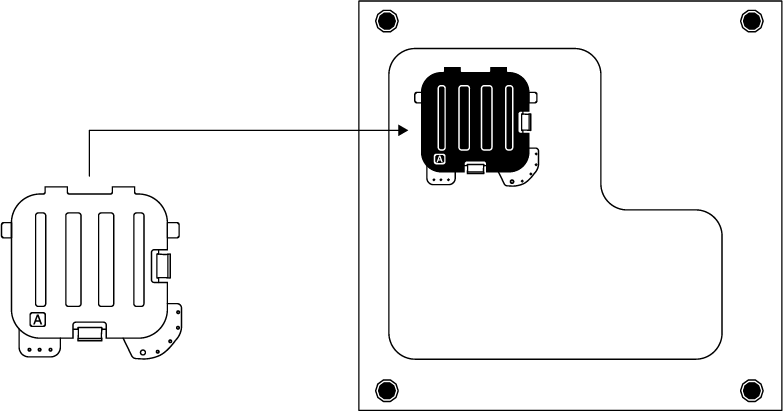
Tilt the machine back slightly. Place the tabs of Cover A against the bottom panel. Rotate the cover to complete the installation.
B Cover
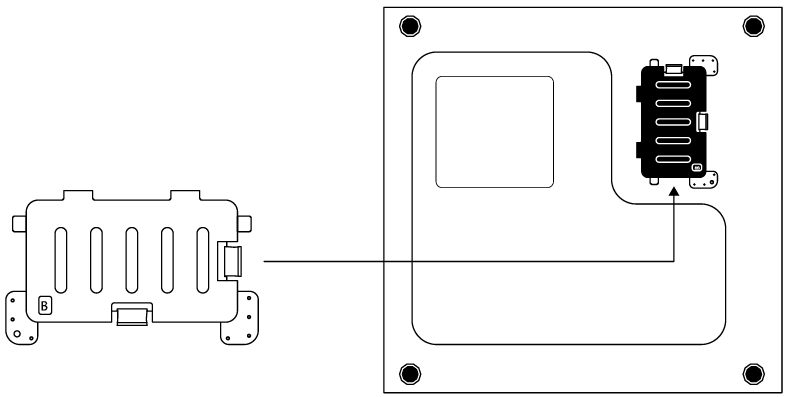
Place the tabs of Cover B against the bottom panel. Rotate the cover to complete the installation.