Control Panel of the Product
1 | Quick Freezing Key | 2 | Cooler Compartment Temperature Setting Key |
3 | Error Status Indicator | 4 | Freezer Compartment Temperature Setting Key |
5 | Product Switch Off Button | 6 | Cooler Compartment Off (Vacation) Function Key |
Read the “Safety Instructions” first!
The audio and visual functions on the instrument panel help you use your product.
*Optional The functions shown are optional; the functions on your product's instrument panel may differ in shape and location.
1. Quick Freeze Button 
When the quick freeze button is pressed, the quick freeze icon lights up and the quick freeze function is activated. The freezer compartment temperature is set to -27 °C. To cancel the function, the button must be pressed again. The quick freeze function automatically cancels itself after a certain time. If you want to freeze a large quantity of fresh food, press the quick freeze button before placing the food in the freezer compartment.
2. Refrigerator Compartment Temperature Adjustment Button 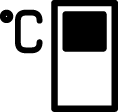
The temperature for the refrigerator compartment is adjusted. When the button is pressed, the refrigerator compartment temperature can be set to 8, 6, 4, or 2°C.
3. Error Status Indicator 
This indicator will activate when the refrigerator is unable to cool sufficiently or if a sensor error occurs. The freezer and refrigerator temperature indicators will flash in specific combinations. This informs the service technician about the error. If you load hot food into the freezer compartment or leave the door open for an extended period, an exclamation mark may briefly illuminate. This is not a malfunction; the warning will disappear once the food has cooled or any button has been pressed.
4. Freezer Compartment Temperature Adjustment Button 
The temperature for the freezer compartment is adjusted. When the button is pressed, the freezer compartment temperature can be set to -18, -20, -22, or -24 °C.
5. Product Shutdown Button 
Pressing this button for 3 seconds switches the product to off mode; in this mode, the refrigerator does not perform the cooling operation. Pressing the button again for 3 seconds will restart the refrigerator's normal operation.
6.*Refrigerator Compartment Shutdown (Holiday) Function Button 
Press the button for 3 seconds to activate the holiday function. Holiday mode will be activated and the holiday symbol ( ) will light up. All icons on the refrigerator compartment temperature display will turn off and the refrigerator compartment will not be actively cooling. It is not advisable to keep food in the refrigerator compartment while this function is activated. Other compartments will continue to cool according to their set temperatures. To deactivate this function, press the button again for 3 seconds.