Control Panel of the Product
1 | Quick Freezing Key | 2 | Error Status Indicator |
3 | Freezer Compartment Temperature Setting Key |
Read the “Safety Instructions” first!
Auditory and visual functions on the indicator panel will assist you when using the product.
*Optional: Shown functions are optional, there may be differences of shape and location in functions found on your appliance’s indicator panel.
1.Quick Freezing Key 
When the quick freezing key is pressed, the LED on the key is illuminated and the quick freezing function shall be activated. The freezer compartment temperature is set to -27 °C. Press the key again to cancel the function. The quick freezing function shall be automatically cancelled after a while. To freeze a large amount of fresh food, press the quick freezing key before placing the food in the freezer compartment.
2. Error Condition Indicator 
This indicator shall be active when your refrigerator cannot perform adequate cooling or in case of any sensor error. Exclamation mark may be displayed when you load warm food to the freezer compartment or keep the door open for a long period of time. This is not a fault, this warning shall be removed when the food is cooled down or when any key is pressed.
3.Freezer Compartment Temperature Setting Key 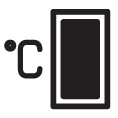
Temperature setting is made for freezer compartment. Pressing the key will enable the freezer compartment temperature to be set at -18 °C,-20 °C,-22 °C, and -24 °C values.